/backup
Save your whole server and put it back exactly.
A backup saves roles (with colors, permissions and order), @everyone, channels (with topics, slowmode, order and every permission), members’ roles and nicknames, bans, emojis and server settings like the name, icon and system channels. Restoring recreates what’s missing, fixes what changed and restores the order — it never deletes things added after the backup, and running it twice makes no duplicates. Restore always asks you to confirm first.
Subcommands
/backup create
Save the server as it is right now
/backup create name:<name>| Option | Type | What it does |
|---|---|---|
name required | text | Name for the backup |
/backup list
Show this server’s backups
/backup list/backup auto
Automatic backups and anti-nuke auto-restore
/backup auto [enabled] [every] [keep] [auto_restore] [restore_what]| Option | Type | What it does |
|---|---|---|
enabled | true / false | Make a backup automatically |
every | text | How often Choices: daily (Every day) weekly (Every week) monthly (Every month) |
keep | number | How many automatic backups to keep (1-14) |
auto_restore | true / false | After an attack, put things back from the latest backup |
restore_what | text | What auto-restore puts back Choices: channels (Channels) roles (Roles) both (Channels and roles) |
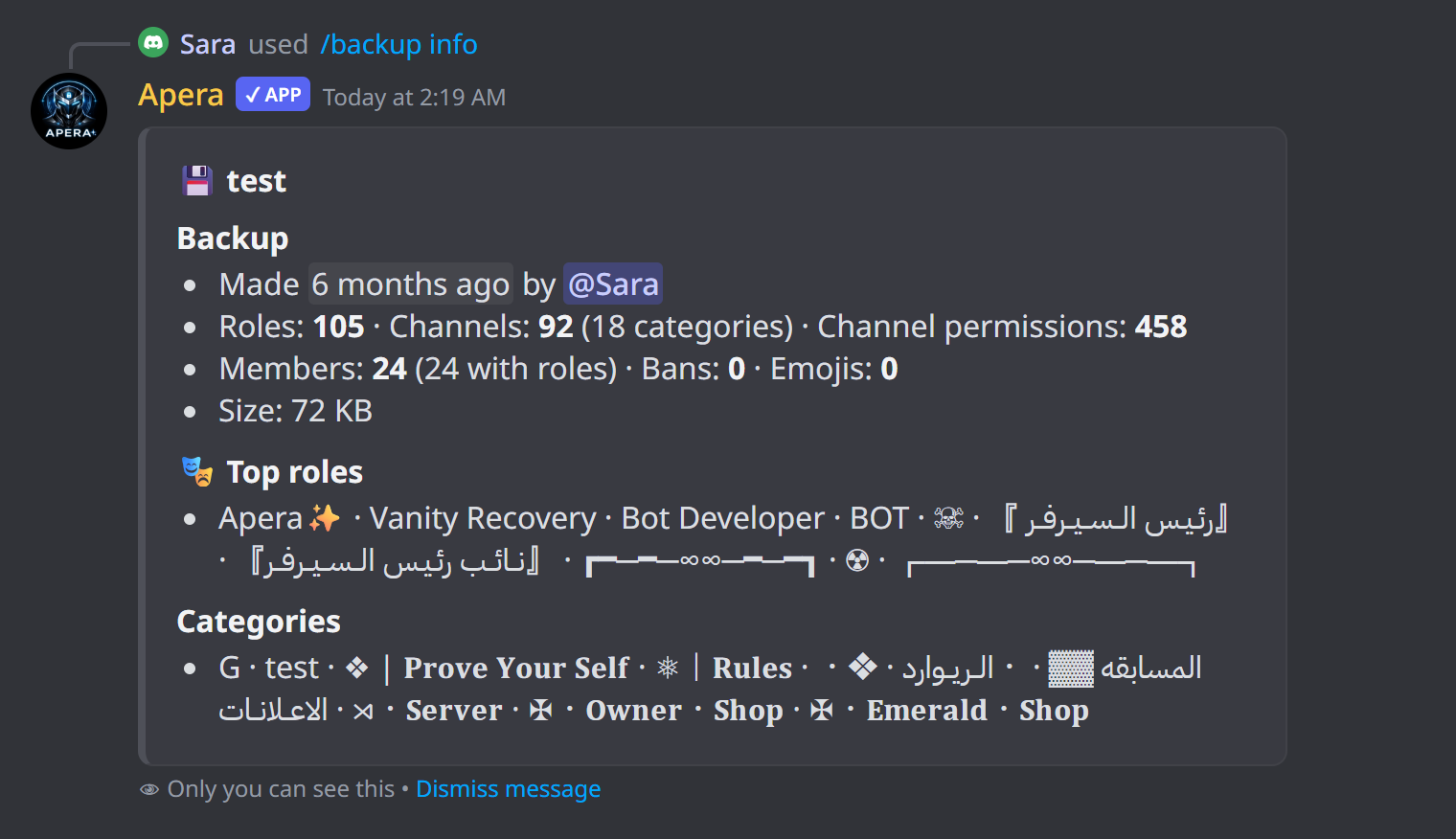
/backup info
Show what a backup contains
/backup info name:<name>| Option | Type | What it does |
|---|---|---|
name required | text | Backup |
/backup restore
Put the server back the way a backup saved it
/backup restore name:<name> [scope] [role_ids] [channel_ids]| Option | Type | What it does |
|---|---|---|
name required | text | Backup to restore |
scope | text | What to restore (default: everything) Choices: all (Everything) roles (Roles (names, colors, permissions, order)) channels (Channels (with their permissions and order)) overwrites (Channel permissions only) members (Members’ roles and nicknames) emojis (Emojis) bans (Bans) settings (Server settings (name, icon, system channels)) |
role_ids | text | Only these roles (IDs, comma separated) |
channel_ids | text | Only these channels (IDs, comma separated) |
/backup delete
Delete a backup
/backup delete name:<name>| Option | Type | What it does |
|---|---|---|
name required | text | Backup to delete |
/backup restore-code
Load a backup from a share code
/backup restore-code code:<code> [scope] [role_ids] [channel_ids]| Option | Type | What it does |
|---|---|---|
code required | text | Share code |
scope | text | What to restore (default: everything) Choices: all (Everything) roles (Roles (names, colors, permissions, order)) channels (Channels (with their permissions and order)) overwrites (Channel permissions only) members (Members’ roles and nicknames) emojis (Emojis) bans (Bans) settings (Server settings (name, icon, system channels)) |
role_ids | text | Only these roles (IDs, comma separated) |
channel_ids | text | Only these channels (IDs, comma separated) |
Examples
/backup create name:before-eventSave the server now
/backup restore name:latestRestore everything from the newest backup
/backup restore name:before-event scope:channelsOnly channels
/backup auto enabled:True every:Every day auto_restore:TrueDaily backups + restore after attacks
/backup share name:before-eventGet a code to copy the layout to another server
Good to know
- Restore, delete and auto settings: server owner or full-whitelisted people only.
- Keep Apera’s role at the top so it can restore every role.
- Share codes copy the layout only — not members or bans.