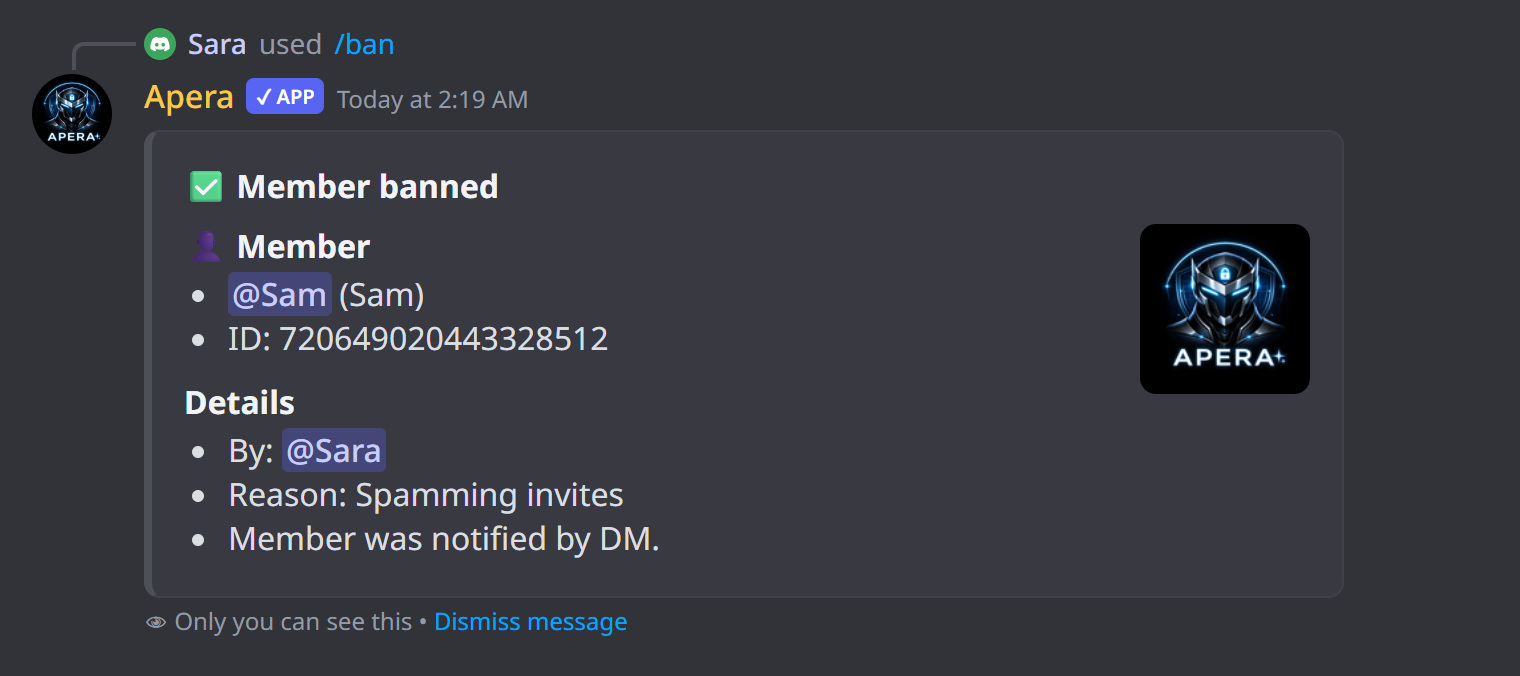
/ban
Ban a member, or anyone by user ID — even people who already left.
Apera bans the member, sends them the reason in DM before they go, and writes the reason to the audit log so the ban shows who did it. You can also remove their recent messages. Apera refuses to ban the server owner, itself, you, or anyone whose top role is equal to or higher than yours or Apera’s.
How to use it
/ban [user] [user_id] [reason] [delete_days]| Option | Type | What it does |
|---|---|---|
user | member | Member to ban |
user_id | text | Or a user ID (for people not in the server) |
reason | text | Reason (shown in the audit log and sent to the member) |
delete_days | number | Delete their messages from the last 0–7 days |
Examples
/ban user:@Sam reason:Spamming invitesBan Sam and tell him why
/ban user_id:123456789012345678 delete_days:1Ban someone who already left and delete their last day of messages
!ban @Sam SpammingSame thing with the prefix command
Good to know
- Needs the Ban Members permission (you and Apera).
- Undo it with /unban.