
Welcome messages & images
Greet new members with a message and an image you design — plus auto-roles.
The welcome message
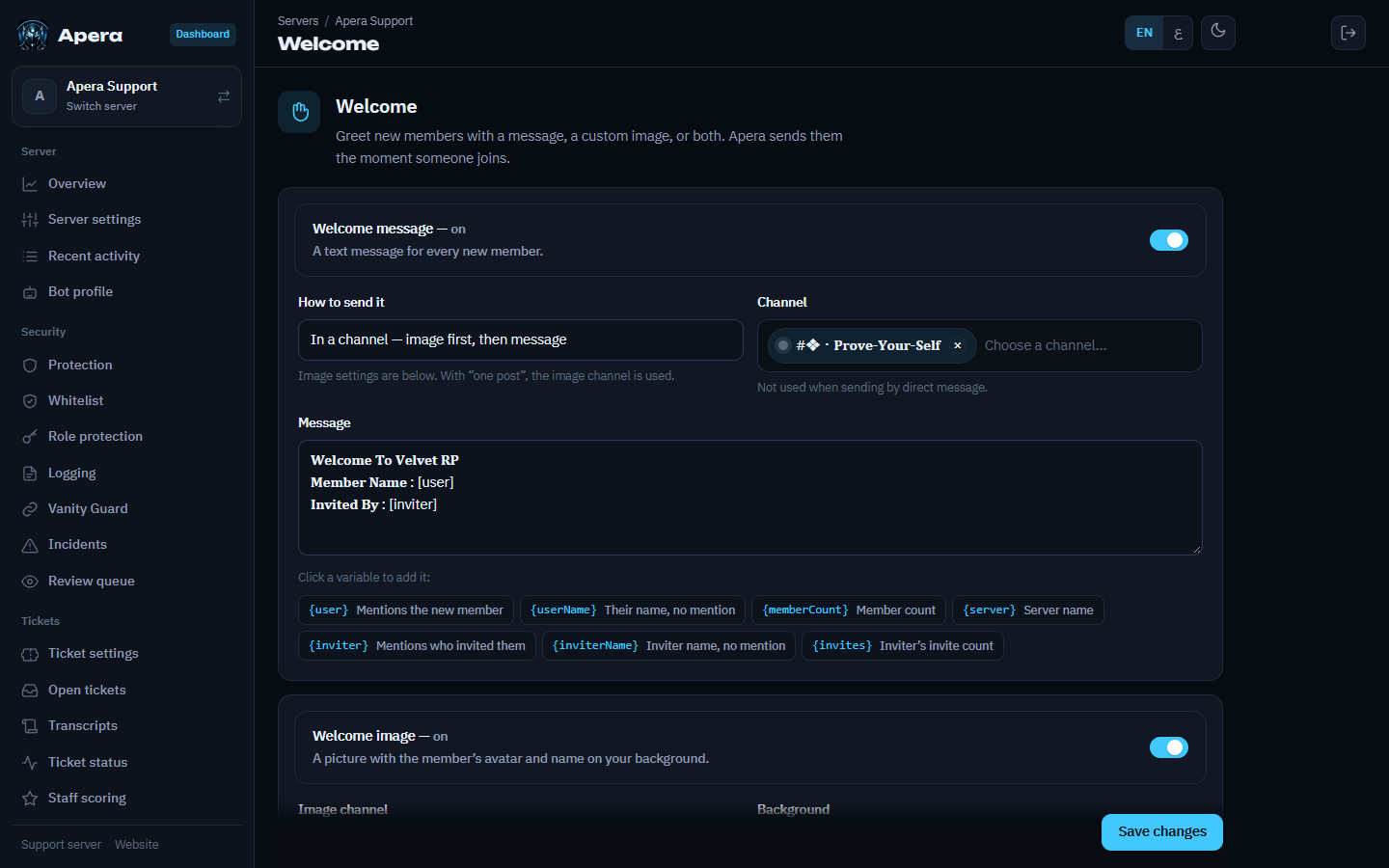
- Dashboard → Welcome.
- Turn it on and choose the channel (or send it in DM).
- Write the message. Click the variable chips to insert them.
- Watch the live preview, then Save. Test it with
/greet send user:@you.
Variables: {user} mentions the new member, {userName} their name without a mention, {memberCount}, {server}, {inviter} mentions who invited them, {inviterName} the inviter’s name, and {invites} how many people that inviter has brought.
The welcome image
Upload a background, then drag the avatar and the text where you want them and resize them. The preview is exactly what members get.
Auto-roles and returning members
/roles autoroles roles:@Member gives roles to everyone who joins. With Persist roles on (/panel → Roles), members who leave and come back get their old roles again — so leaving can’t be used to escape a mute or jail.
Still have a question about this?